
Your advice,
as LinkedIn posts.
Write your first post Type a point you made to a client this week. Postalrios drafts the post and can generate an image for it. You edit the text, keep or replace the image, and schedule it for your LinkedIn profile. Nothing is published until you approve it.
Try it now
See a post before you sign up.
Start from something you said.
A point you made on a call, a mistake you keep seeing, a question a client asked twice. Write it in a line, and get a draft to edit instead of a blank page.
Keep your own voice.
Create an interest for each subject you advise on, with a short brief and writing guidance. You can get several versions of a post, pick the one you like, and edit it until it says what you mean.
One idea, two formats.
The same idea can be a single post or a carousel of 2 to 10 slides, with a caption and an image on every slide. How carousels work.
Have next week's topic ready.
Keep ideas by interest and add to them when something comes up, or ask Postalrios to suggest topics around a research focus.
See the week before it goes out.
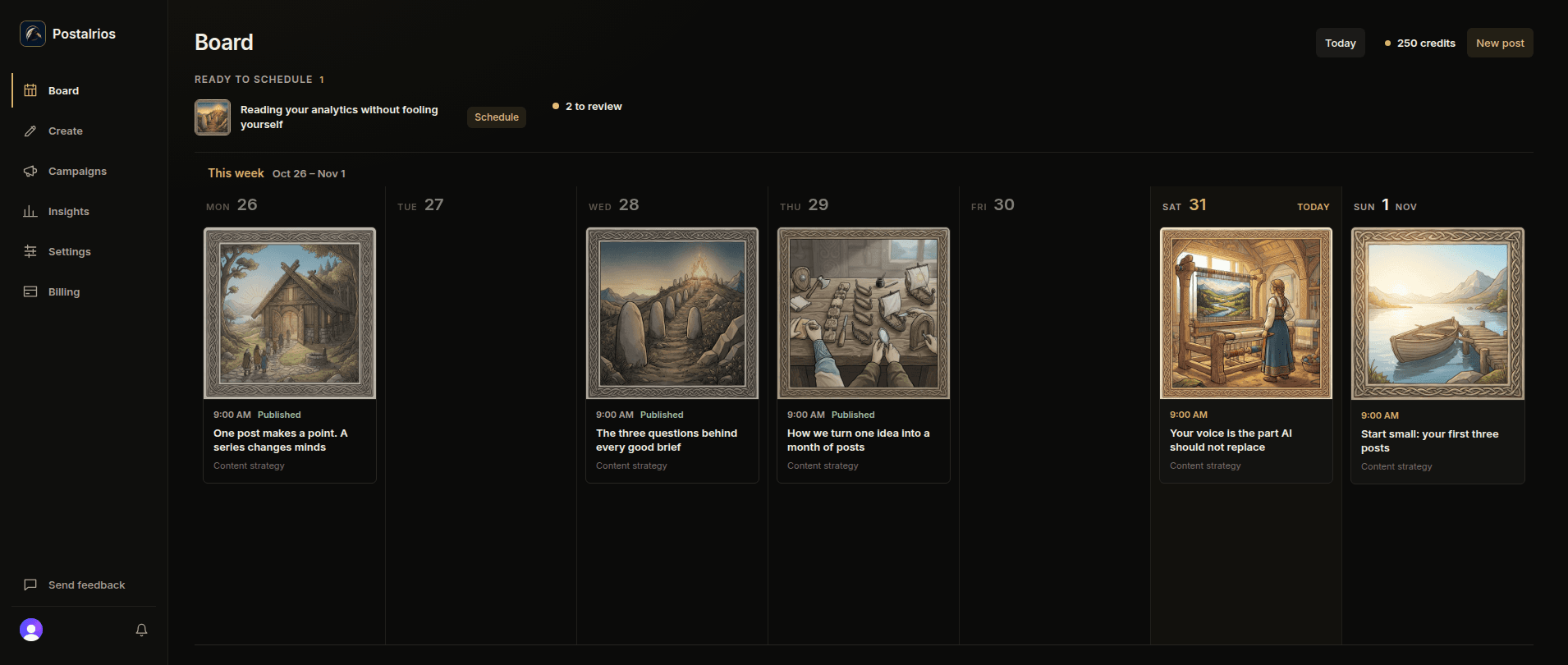
The board shows what went out, what is scheduled, and what is ready to schedule, day by day. Drag a scheduled post to another day to move it.
Already write with Claude or ChatGPT?
Connect it to Postalrios, and the posts you write in your chat are saved here, ready to schedule. See AI integrations.
Start free
Try it free for your first 2 months.
10 credits a month, enough for 5 posts with an image each. No card needed to start. Paid plans start at $15 a month. Compare plans.