
Turn one idea into
a LinkedIn carousel.
Make a carousel Postalrios writes the slides and caption for a carousel of 2 to 10 slides, generates an image for each slide, and publishes it to your LinkedIn profile as a PDF document. You review and edit all of it first.
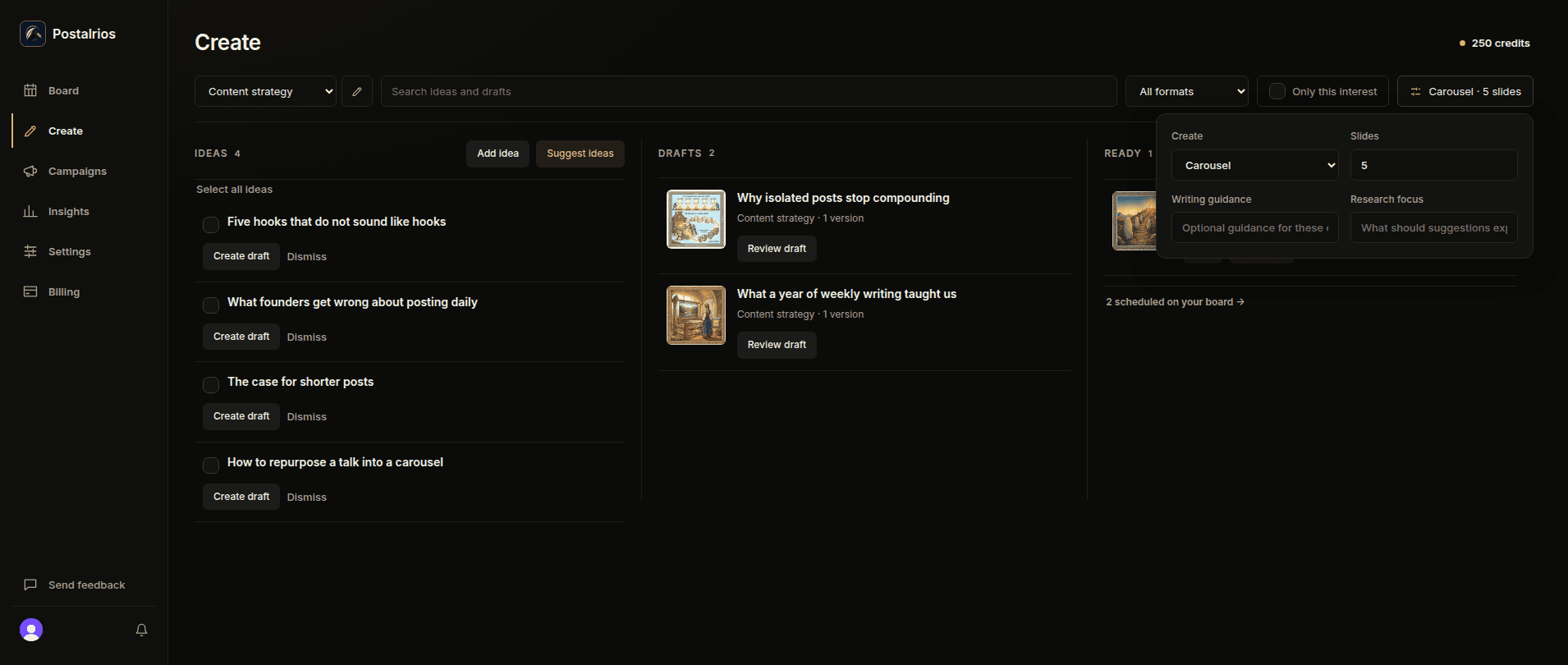
Set it up before you write.
Choose an interest, a slide count from 2 to 10, and writing guidance. The slides and caption start from your idea and that guidance, not from a blank template.
Edit every slide.
The caption and the slides have separate views. Change any slide's title and text before you approve the carousel.
An image on every slide.
Generate an image for each slide from its own image instructions. Every slide needs one before you approve the carousel, and the first slide is the cover.
Publish it as a PDF.
Schedule the approved carousel or post it right away. Postalrios builds a PDF from your slides and publishes it to your LinkedIn profile with your caption, as a document post people swipe through.
Know what it costs.
A carousel uses 1 credit per slide text, 1 for its caption, and 1 per generated slide image. Batches use the sum of their requested outputs. The app shows an estimate before generation. A 6-slide carousel, with its 6 slide images, uses 13 credits.
Prefer a single post? The same idea can become a post instead. Explore the product or compare plans.